How do I get my event added?

Two small notes before we get you started!

1. Larp almanac is primarily a tool to help plan and avoid event clashes.
2. It is mainly for events in the UK and Europe.


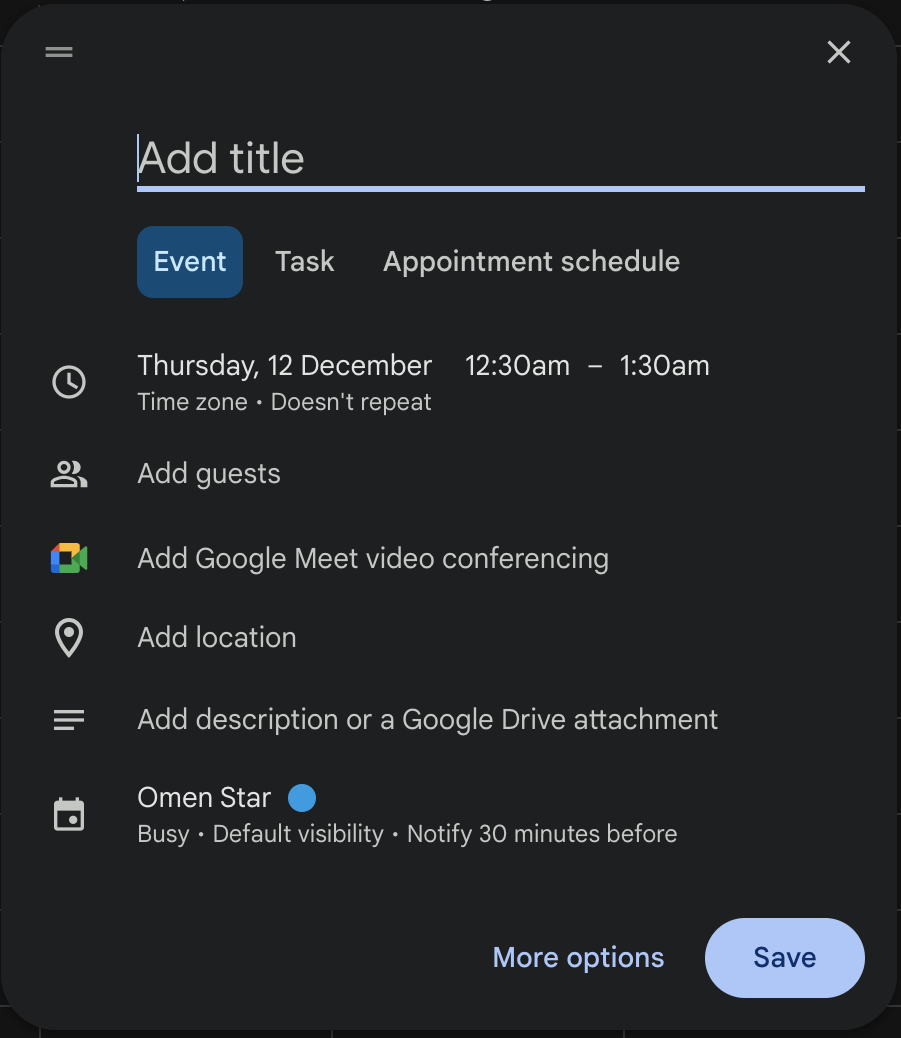
Step 1: Name your event


Go to google calendar and click on create event. Then start by adding the name of your event.

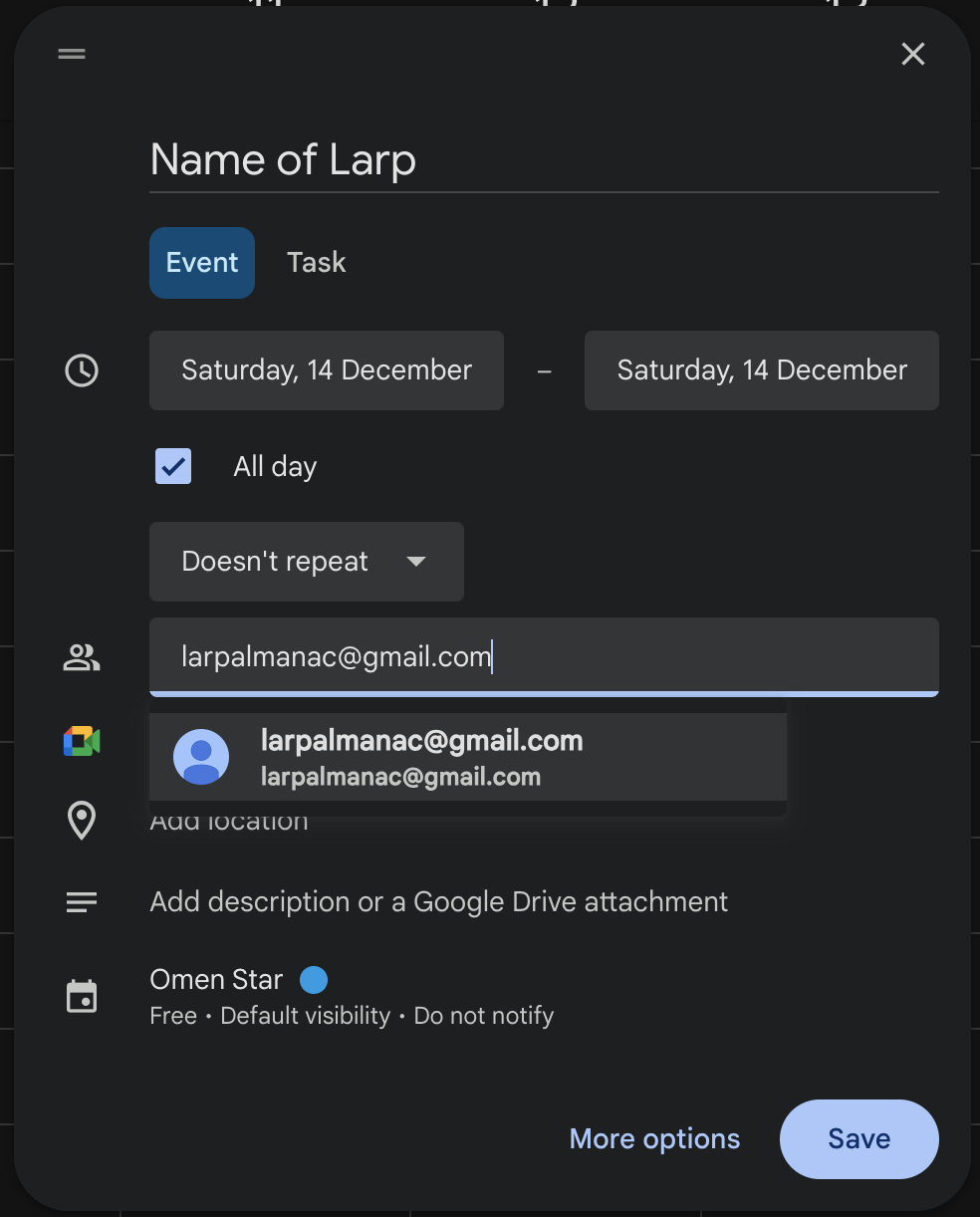
Step 2: Add the dates and invite Larp Almanac


Set the dates to the dates your event will be running. After that click on the "Add Guests" and enter larpalmanac@gmail.com

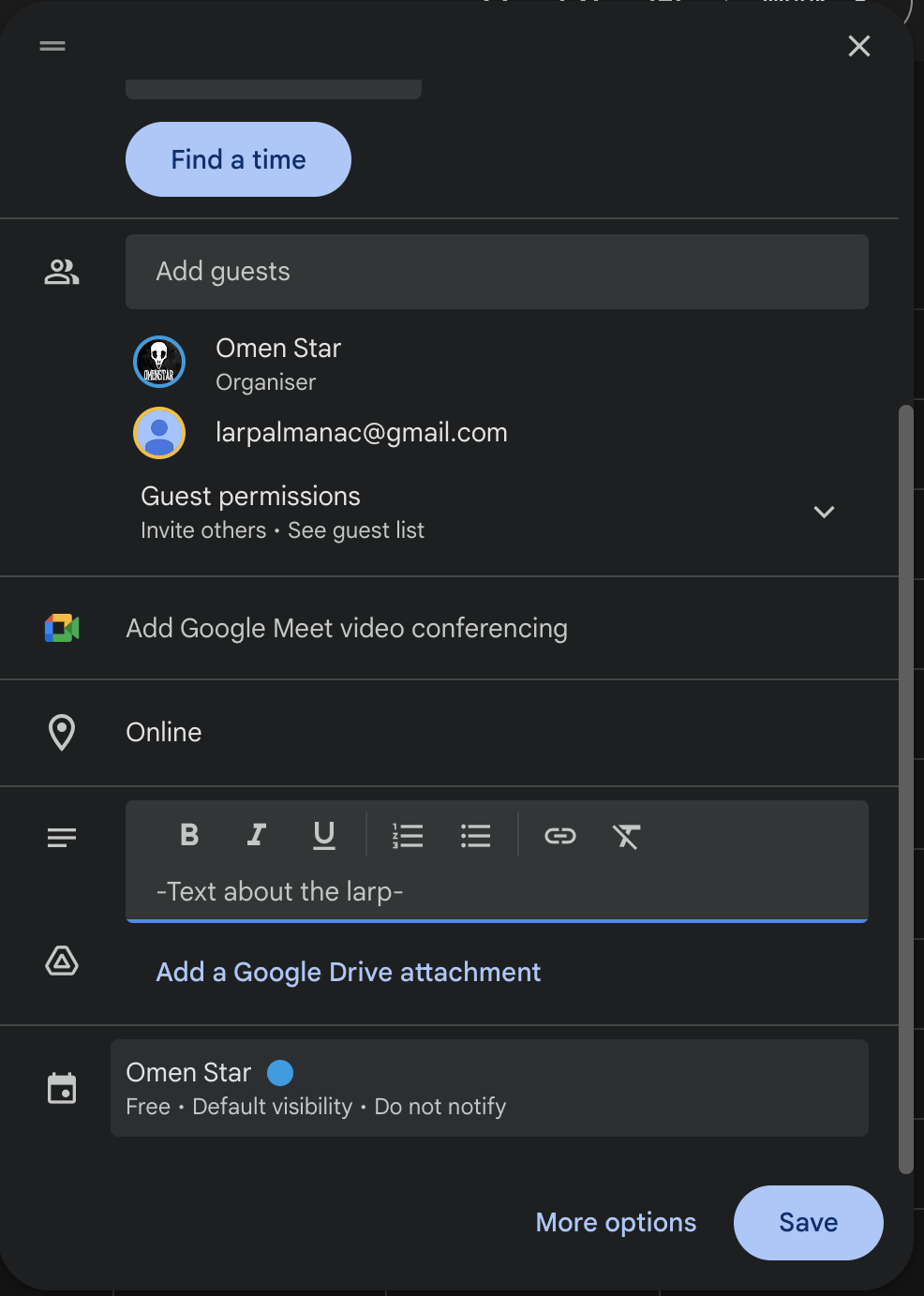
Step 3: Describe your event


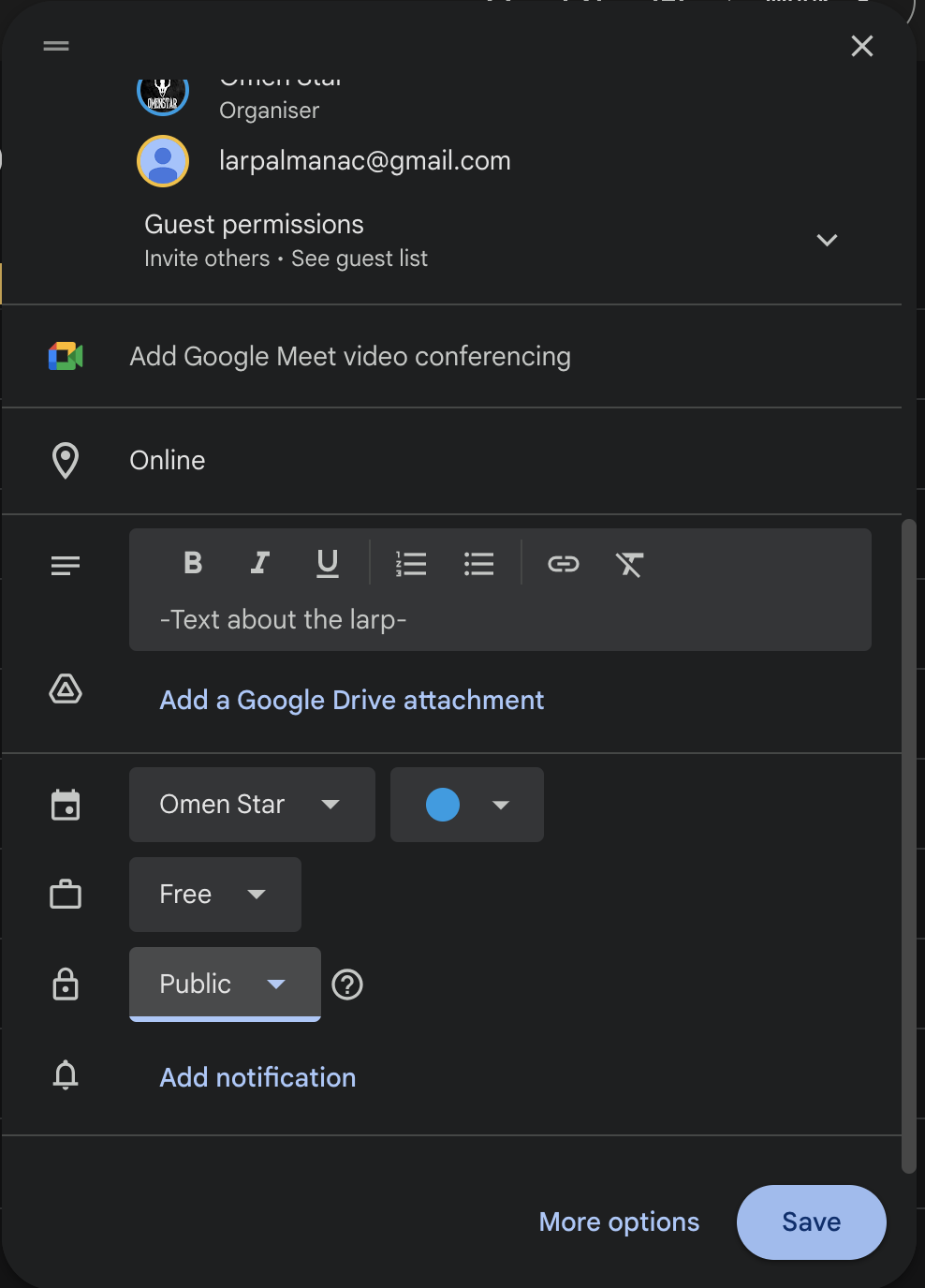
Click on "Add discription" and write a short text about your larp. Here is a good place to add the link to your events website, if you have one.

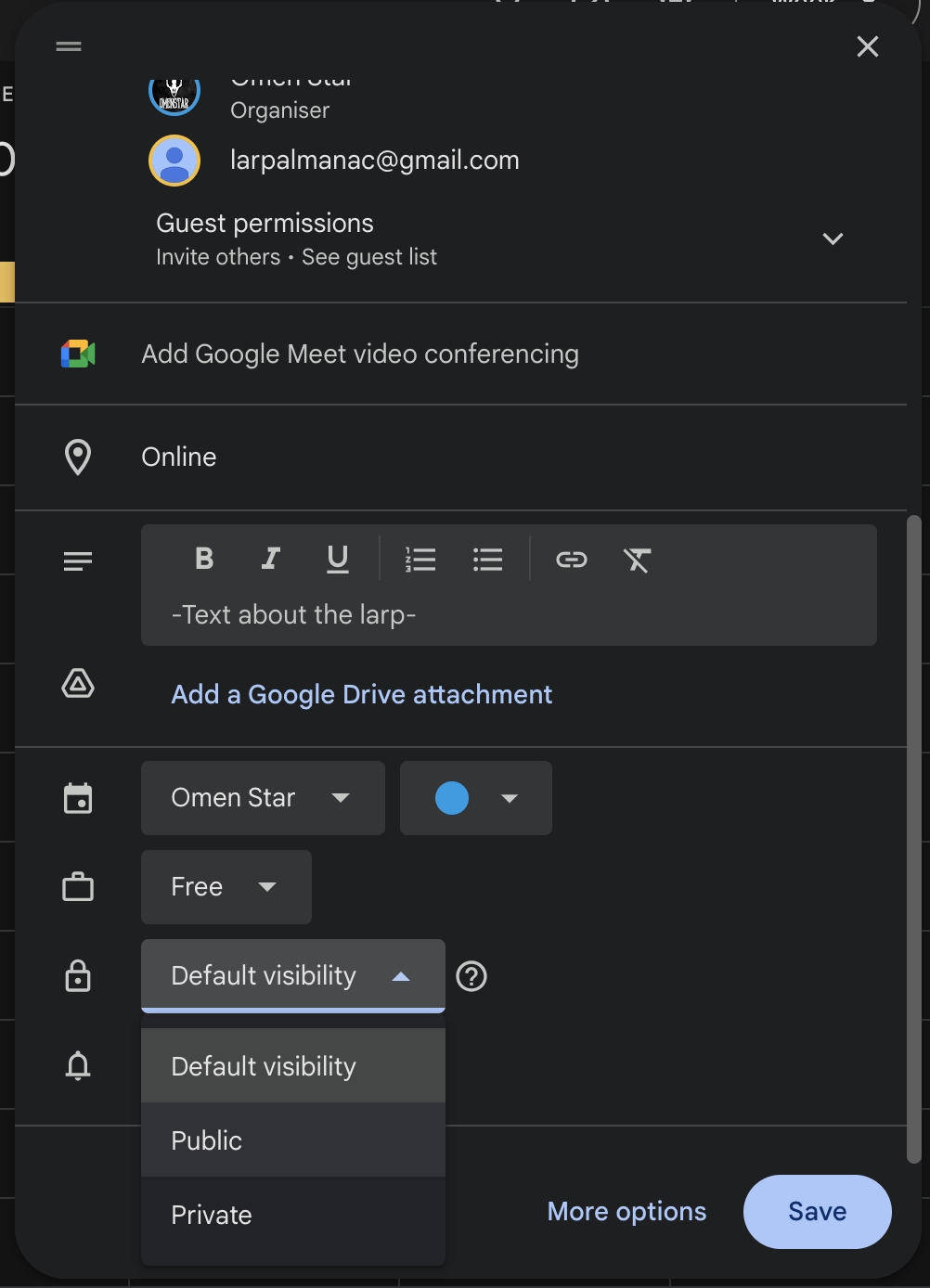
Step 4: Change visibility


This step is very important. Make sure that the visibility is set to "Public". If you do not it will not show up for people in the calendar.

Step 5: Save


This is the last step! Press save and you are done. 

Pressing save will result in larpalmanac receiving an email about your event. We will then simply press accept and your event will be in the larpalmanac!

What if I do not have a google account


If you are not able to create a google calendar event yourself you can also send an email to larpalmenac@gmail.com with all of the information mentioned above. 

This will take longer but will get your event up, so consider doing it in good time if you want the event up by a certain time.